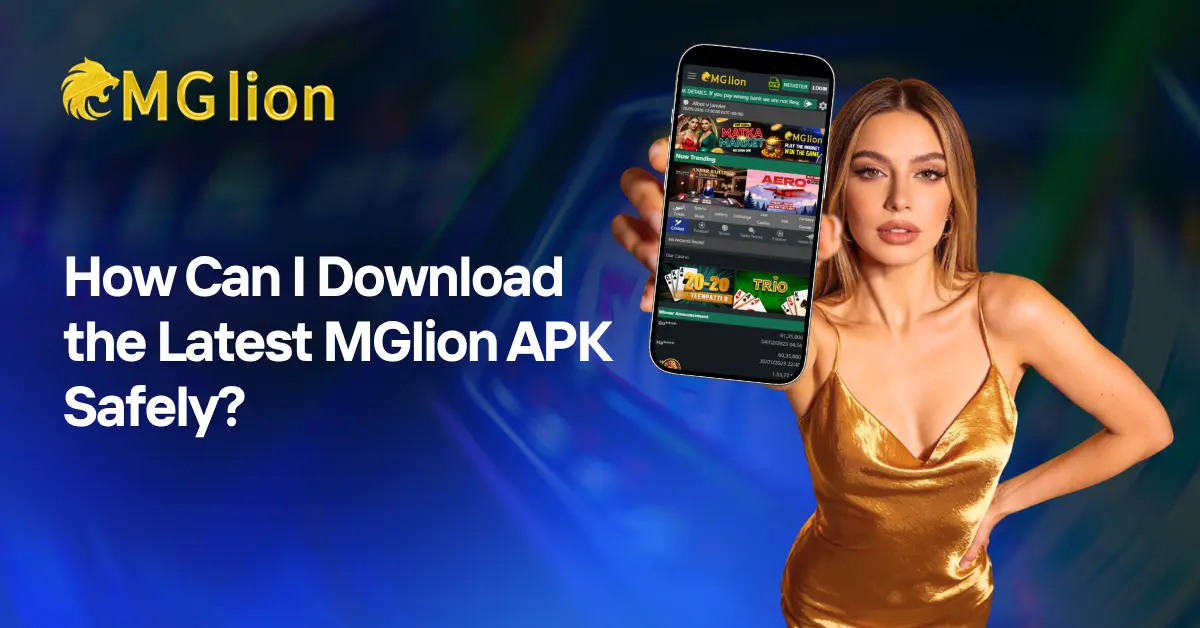
Looking for the latest MGLion APK? MGLionapp is promoted as a mobile sports platform offering access to sports-related features such as live match information, scores and other sports options.
If you plan to install an APK outside the Google Play Store, the most important step is to verify the source before downloading. An APK downloaded from an unofficial website can potentially contain modified files, malware or unnecessary permissions.
This guide explains what the MGLion APK is, how to download and install an APK safely, what to check before installation, common installation problems, and frequently asked questions.
Quick answer: To install the MGLion APK safely, download it only from a source you trust, verify the APK before opening it, check the requested permissions, make sure your Android device is compatible, and disable the “install unknown apps” permission again after installation if you do not need it.
What Is MGLion APK?
MGLion APK refers to the Android application package used to install the MGLionapp on compatible Android devices.
MGLionapp is presented as an online sports platform covering sports such as cricket, football and table tennis, along with live sports information and other platform features.
An APK installation can be useful when an Android application is not distributed through the Google Play Store in a particular region. However, users should understand that installing an APK manually means they need to pay additional attention to the download source, file integrity, permissions and device security.
MGLion APK at a glance
| Feature | Information |
|---|---|
| App name | MGLion |
| File type | Android APK |
| Platform | Android |
| Main focus | Sports-related features |
| Sports mentioned | Cricket, football, table tennis and others |
| Installation method | Manual APK installation |
| Primary safety concern | Downloading a modified or malicious APK |
Is MGLion APK Safe to Download?
The safety of an APK depends largely on where the file comes from and whether the file has been modified.
There is no general rule that every APK is unsafe, but manually installing applications from outside an official app store carries additional risk.
Before installing MGLion APK, consider these checks:
- Download the file only from a source you can independently verify.
- Avoid APK mirrors or websites that provide unknown modified versions.
- Check the application’s requested permissions.
- Scan the downloaded file with a reputable security tool where possible.
- Keep Android and your mobile security software updated.
- Do not provide unnecessary personal information or permissions.
- Avoid installing an APK if the file has been repackaged or modified without explanation.
What permissions should you check?
A sports application generally needs network access to retrieve online content. However, users should carefully review permissions involving sensitive information such as:
- Contacts
- SMS
- Phone calls
- Microphone
- Camera
- Location
- Files and media
If an APK requests permissions that appear unrelated to its core functionality, investigate the reason before continuing.
How to Download MGLion APK Safely
If you are searching for MGLionapp download or MGLion APK latest version, use the following process.
Step 1: Check Android Compatibility
Before downloading the APK, check whether your device meets the application’s published requirements.
The requirements mentioned for this type of installation include:
- Android 5.0 or later
- At least 2 GB RAM
- Sufficient free storage
- A stable internet connection
These should be treated as general requirements unless the current MGLionapp release provides different specifications.
Step 2: Verify the Download Source
The download source is one of the most important safety factors.
Before clicking the APK download button, verify that:
- 1. The website belongs to the platform or an officially authorized source.
- 2. The download page clearly identifies the application.
- 3. The APK version is stated clearly.
- 4.The website does not redirect you through suspicious download pages.
- 5.The file is not advertised as a modified, cracked or unofficial version.
Do not assume that a website is official simply because it uses the MGLion name.
Step 3: Download the APK
Download the APK using a secure internet connection and wait until the download is completely finished.
If the download is interrupted, delete the incomplete file and download it again rather than attempting to install a potentially corrupted APK.
Step 4: Check the APK Before Installation
Before opening the file, check:
- APK file name
- File size
- Download source
- Version information
- Requested permissions
- Security scan results
If the file appears unusually large, has an unexpected name or behaves differently from the description on the download page, do not install it until you can verify its authenticity.
Step 5: Allow APK Installation on Android
Recent Android versions normally allow users to grant “Install unknown apps” permission to a specific application, such as Chrome or a file manager.
The exact menu can differ depending on the Android manufacturer and software version.
A common path is:
Settings → Apps → Special app access → Install unknown apps
Select the browser or file manager you used to open the APK and enable the relevant permission temporarily.
Step 6: Install MGLion APK
After the APK has been verified:
- 1.Open your Downloads folder.
- 2.Tap the MGLion APK file.
- 3.Review the installation prompt.
- 4. Confirm the installation.
- 5. Wait for the installation to finish.
- 6. Open the application and review its settings and permissions.
Once the application is installed, return to the Install unknown apps settings and disable the permission for your browser or file manager if you no longer need it.
What Should You Do If MGLion APK Does Not Install?
APK installation errors can have several causes.
| Problem | Possible cause | What to try |
|---|---|---|
| APK does not install | Insufficient storage | Free up internal storage and try again |
| Parsing error | Android compatibility issue | Check Android version and APK requirements |
| Download failed | Unstable connection | Download the file again using a stable connection |
| Installation blocked | Unknown-app permission disabled | Allow installation for the browser/file manager you are using |
| App crashes after installation | Incompatible or corrupted APK | Re-download from a verified source |
| Previous version causes conflict | Existing installation | Remove the old version only if appropriate, then reinstall |
Why Is the MGLion APK Not Installing?
The most common reasons include insufficient storage, an incompatible Android version, a corrupted APK file, disabled installation permissions or conflicts with an existing application version.
If you receive a “Parse error” or similar message, first check whether the APK supports your Android version. If the problem continues, verify that the downloaded file is complete and comes from a legitimate source.
MGLion APK vs Mobile Website
An APK and a mobile website provide different user experiences.
MGLion APK
- Installed directly on an Android device
- Can provide a dedicated mobile interface
- May offer easier access to app-specific features
- Requires additional verification when installed outside an app store
Mobile Website
- Opens directly through a browser
- Does not require manual APK installation
- Avoids the risks associated with downloading an unknown APK
- Can be accessed without permanently installing an application
For users who are primarily concerned about device security, using a verified website can be preferable to installing an APK from an unverified source.
How to Keep Your MGLion APK Installation Secure
Installing the application is only one part of mobile security. Follow these practices after installation:
Keep Android Updated
Install security updates provided by your device manufacturer. Updated software helps protect against known vulnerabilities.
Review App Permissions
Periodically review permissions through Android settings. Remove permissions that are not necessary for the application’s intended functionality.
Avoid Modified APKs
Do not install “mod,” “cracked,” “premium unlocked” or similarly modified versions. These files can introduce additional security risks.
Use a Secure Network
Use a trusted Wi-Fi or mobile data connection when downloading applications and accessing online accounts.
Keep Backups
Maintain regular backups of important photos, documents and other data on your Android device.
Do Not Root Your Device for APK Installation
An APK should not require you to root an Android phone. Rooting can reduce some of Android’s built-in security protections and should not be necessary for normal APK installation.
Does MGLion APK Require a Cricket ID?
The exact account or identification requirements depend on the current platform and its registration process.
If a website asks users to create or obtain a cricket ID, users should first verify that the request comes from the legitimate platform and understand what information is being requested.
Do not share passwords, OTPs, banking credentials or other sensitive information with unofficial agents or third-party websites.
What Is a Cricket ID App?
A cricket ID app generally refers to an application or platform associated with cricket-related accounts, sports information or online sports services.
The term itself does not guarantee that an application is official or secure. Users should always verify the platform, developer, download source and permissions before installing an app described as a cricket ID app.
Is MGLionapp Available on Google Play Store?
Google Play Store availability can change depending on the application, developer and region.
If MGLionapp is not available through Google Play Store, users may be directed to an APK installation. In that situation, it is especially important to verify the APK source before installation.
Do not install an APK simply because a third-party website claims that it is the “official latest version.”
Frequently Asked Questions About MGLion APK
What is MGLion APK?
MGLion APK is an Android installation package associated with the MGLion mobile application. It is intended for installation on compatible Android devices.
How do I download the latest MGLion APK?
Use a verified source, check the APK version and compatibility, scan the file where possible, and review its permissions before installation.
Is MGLion APK safe?
Safety depends on the authenticity and integrity of the APK file. Users should avoid unknown third-party APK sources and verify the file before installing it.
Can I install MGLion APK on any Android phone?
Not necessarily. Compatibility depends on the Android version, hardware, storage and the requirements of the specific APK release.
Why is Android blocking my APK installation?
Android may block installation because the “Install unknown apps” permission is disabled, the APK is incompatible, the file is corrupted or the device has detected a security concern.
How can I fix a parsing package error?
Check your Android version, confirm that the APK supports your device, make sure the download is complete and obtain a verified copy of the APK if necessary.
Should I keep “Install Unknown Apps” enabled?
It is generally better to enable the permission only for the application that needs it and disable it again after installation if you do not need it.
Is MGLionapp available on the Play Store?
Play Store availability may vary by region and can change over time. Check the current Google Play listing and the platform’s verified channels rather than relying on third-party claims.
What should I do before installing any APK?
Verify the source, check compatibility, review permissions, scan the file where possible, maintain updated Android security software and avoid modified APK files.
Final Checklist Before Installing MGLion APK
Before installing the latest MGLion APK, make sure you have completed these checks:
- Verify the download source.
- Confirm the APK version.
- Check Android compatibility.
- Make sure sufficient storage is available.
- Scan the APK where possible.
- Review requested permissions.
- Avoid modified or cracked APK files.
- Use a secure internet connection.
- Enable “Install unknown apps” only when necessary.
- Disable the permission again after installation.
Final Takeaway
The safest way to approach an MGLion APK download is to focus on source verification rather than simply searching for the newest APK file.
Before installing MGLionapp on Android, confirm the application source, check device compatibility, review permissions and verify the APK file. If the application is available through an official app store or verified platform channel, that option should generally be considered before using a manually downloaded APK.
For users searching for MGLion app download, MGLion latest version, MGLionApp, cricket ID app or sports-related Android applications, these checks can help reduce the risk of installing an outdated, modified or malicious file.